
AutoFigure:生成可編輯的科研插圖
Auto Figure 將論文方法文本轉化為完全可編輯的 SVG 科研插圖 —— 可自由修改的出版級學術配圖。
結合 LLM 生成、SAM3 分割和向量化技術,Auto Figure 生成高品質方法論圖表,支援從參考圖像進行風格遷移,並內建瀏覽器端 SVG 編輯器進行即時調整。
立即體驗 AutoFigure
親身體驗 Auto Figure 的自動化論文配圖生成能力。貼上您的方法文本,可選上傳參考圖像進行風格遷移,AutoFigure 即可生成出版級的可編輯 SVG 科研插圖。
提示:簡潔、結構化的方法文本能生成更清晰的模板
提示:上傳您喜歡的論文配圖以遷移其視覺風格
沒有產生圖片
AutoFigure 範例展示
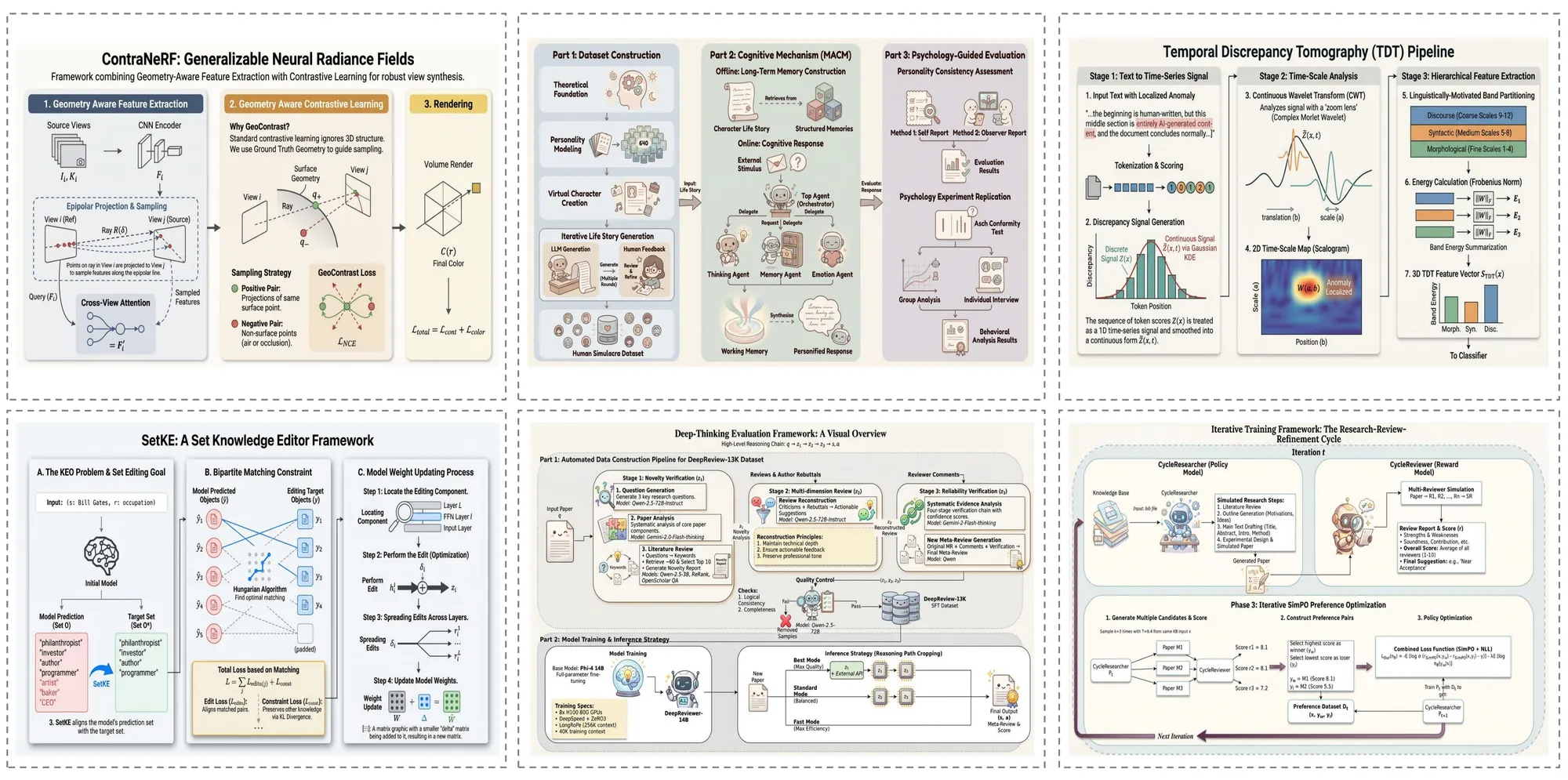
以下是 Auto Figure 在不同領域生成的示例圖表,展示了其處理各種複雜度科研插圖的多樣化能力。
論文案例
Auto Figure 直接從研究論文文本生成出版級的方法論圖表。複雜的模型架構、多階段流水線和編碼器-解碼器框架被渲染為完全可編輯的 SVG 插圖,包含精確的形狀、連接線和標籤。
綜述案例
對於綜述論文,Auto Figure 創建全面的概覽圖,捕捉多種方法之間的分類體系、關係和對比。生成的圖表幫助讀者通過清晰的視覺層次和一致的樣式快速把握研究領域的全貌。
部落格案例
Auto Figure 同樣能處理非正式的技術寫作。從解釋機器學習概念的部落格文章到技術教程,它生成清晰且視覺吸引力強的圖表,讓複雜的想法對更廣泛的受眾易於理解。
教材案例
對於教育內容,Auto Figure 生成教材級質量的插圖,清晰傳達基礎概念。無論是神經網路架構、資料流圖還是生物過程,生成的圖表都適用於課件投影片、課程材料和教材章節。
常見問題
關於 AutoFigure 的常見問題與解答。
開始用 AutoFigure 創作
將論文文本轉化為可編輯的 SVG 科研插圖。立即試用上方的 Auto Figure 生成器,或閱讀 ICLR 2026 論文了解更多。
Auto Figure 的核心創新
AutoFigure-Edit 在自動化科研插圖生成領域引入了多項突破性創新,發表於 ICLR 2026。
系統架構:五階段流水線
Auto Figure 透過五階段流水線將科學文本轉化為可編輯的 SVG 插圖。每個階段在前一階段的基礎上建構,逐步將原始文本轉化為完全可編輯的、出版級向量插圖。
Stage 1: Raster Generation
A vision-language model (Gemini 3.1 Flash) reads your method text and optional reference image, then generates an initial raster draft (figure.png). The LLM understands scientific figure conventions and translates textual methodology into a visual composition.
Stage 2: SAM3 Segmentation
Segment Anything Model 3 (SAM3) detects and segments distinct components — icons, text regions, connectors, shapes — using structured prompts like 'icon, person, robot, animal'. Outputs bounding boxes with confidence scores and a segmentation map (samed.png).
Stage 3: SVG Templating
Using the original figure, segmentation mask, and box metadata as multimodal inputs, the LLM (Gemini 3.1 Pro) generates a placeholder-style SVG whose boxes align with labeled regions. RMBG-2.0 removes backgrounds from cropped icons to create transparent assets.
Stage 4: Final Assembly
The system aligns coordinate systems between the SVG template and original figure, then replaces placeholders with transparent icons extracted from segmentation. This produces the assembled SVG (final.svg) with all components as individually editable vector elements.
Stage 5: Iterative Refinement
An optional optimization stage performs iterative SVG refinement — path optimization, stroke recognition, and layout fine-tuning. Users can also refine the output in Auto Figure's built-in svg-edit canvas with drag-and-drop composition, completing the text-to-editable-SVG workflow.
分享 AutoFigure